Description
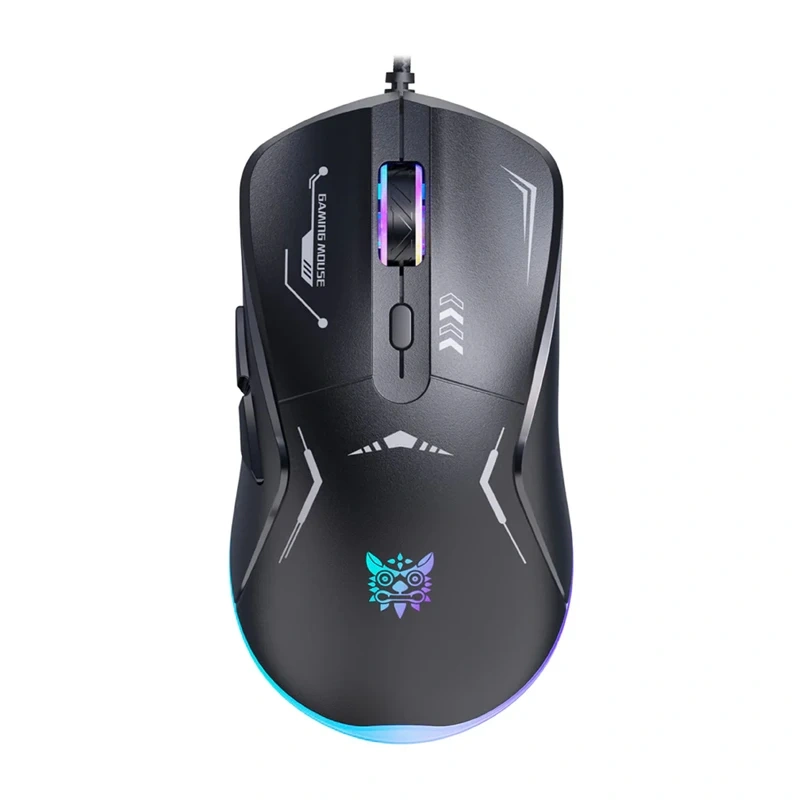
Onikuma CW917 Souris Gaming Filaire (Noire)
La Onikuma CW917 est une souris gaming filaire qui privilégie la simplicité et le contrôle précis pendant le jeu. Elle offre quatre niveaux de DPI (1200–3600), vous permettant d’ajuster rapidement la sensibilité pour s’adapter à n’importe quelle situation, que ce soit pour un travail détendu ou un jeu rapide. Changer les paramètres se fait avec un seul bouton, sans avoir besoin d’installer de logiciel supplémentaire.

Confort lors de sessions prolongées
La forme ergonomique, inspirée du design gaming, s’adapte confortablement à votre main et soutient un placement naturel des doigts. Cela entraîne moins de fatigue lors de longues sessions de jeu. La surface est agréable au toucher, ce qui améliore la confiance dans la prise. En pratique, cela signifie un meilleur contrôle et un confort même après plusieurs heures d’utilisation.

Boutons fonctionnels
Le modèle CW917 offre six boutons programmables qui facilitent les réactions rapides en jeu. Vous disposez de boutons standards, d’une molette de défilement et de boutons latéraux pour la navigation. Un bouton DPI supplémentaire vous permet de changer instantanément la sensibilité sans interrompre le jeu. Cela garantit que tout ce dont vous avez besoin est à portée de main.

Stabilité et durabilité pour un usage quotidien
La base antidérapante améliore le contrôle sur le mouvement de la souris et empêche les déplacements non intentionnels. La construction robuste est conçue pour un usage intensif, ce qui se traduit par une durée de vie plus longue pour les boutons. La connexion filaire élimine le décalage et assure une réactivité constante.

Large compatibilité et configuration rapide
La souris fonctionne en mode plug-and-play, il vous suffit de la connecter à votre ordinateur et elle est prête à l’emploi immédiatement. Elle prend en charge les systèmes d’exploitation populaires, y compris Windows et macOS. Aucuns pilotes supplémentaires ne sont nécessaires, ce qui rend la configuration très simple.

Rétroéclairage qui crée l’ambiance
La souris dispose d’un rétroéclairage RGB avec 7 modes, donnant à votre configuration un aspect plus orienté vers le gaming. Les couleurs sont vives et clairement visibles même dans des conditions de faible luminosité. Cela facilite l’harmonisation de l’apparence de la souris avec le reste de votre configuration.

| Fabricant | Onikuma |
|---|---|
| Modèle | CW917 |
| Couleur | noir |
| Plage de DPI | 1200 / 1800 / 2400 / 3600 |
| Nombre de boutons | 6 |
| Rétroéclairage | RGB, 7 modes |
| Compatibilité | Windows XP / 7 / 8 / 10, macOS |
| Durée de vie des boutons | jusqu’à 20 millions de clics |
Discover more from Ypsilon Computers
Subscribe to get the latest posts sent to your email.